Composition as Code
Script your studio. Commit your music.
Gloopy is a linear-arranger DAW whose primary surface is a diff-friendly, plain-text project format and an OSC + gRPC control API — so a script, an AI agent, or your CI can drive it as readily as the desktop app.
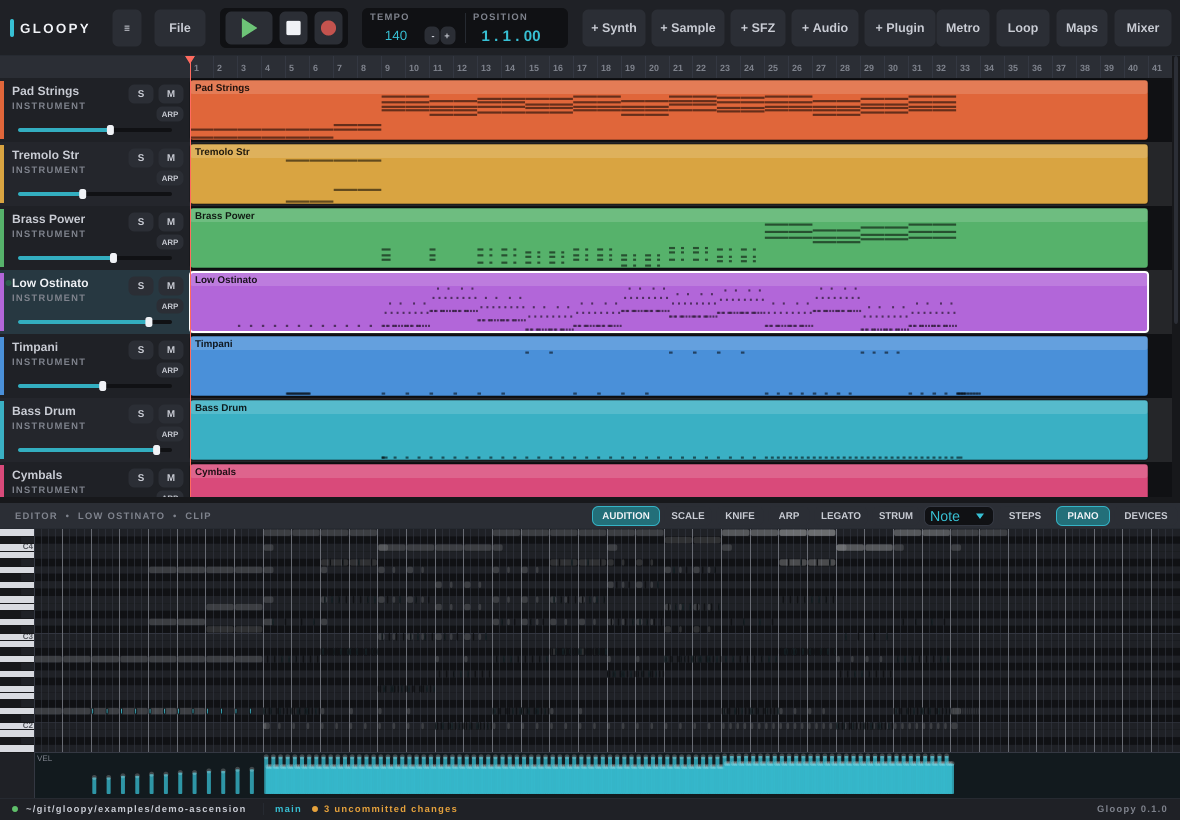
What makes it Gloopy
Small, scriptable, and version-controllable by design.
Everything the app can do is reachable — and verifiable — without the window. The GUI is built on the same control surface your scripts use.
Control API
Drive it over OSC + gRPC
Build a track, arm a clip, set automation, bounce a mix — from Python, Common Lisp, a shell, or an AI agent. Stable ids, live knobs over OSC.
Composition-as-repo
Projects are plain text in git
Tracks, clips, notes and automation serialise to readable TOML and .notes/.points files. Diff a change, branch a mix, review a pull request.
Instruments
Hosts VST3 / LV2 + Surge XT
A built-in synth and sampler, native SFZ playback, hosted VST3/LV2 plugins, and the featured Surge XT synth bundled in.
Headless
Render without a display
gloopy render song/ out.wav bounces the mix in CI; export-stems writes one WAV per track. Bit-reproducible.
◇ AI agents · Model Context Protocol
Let an assistant drive Gloopy
A built-in MCP server ships inside the binary, so an AI agent — Claude, or any MCP client — can inspect and control your song through the same shared model the desktop app and your scripts use. No glue code, no separate package, no Python.
Install
Grab it for your system.
On Fedora / RHEL, add the dnf repository once and future releases arrive with
your normal system updates. Debian / Ubuntu and Windows install from the release downloads.
Packages are the full build, with the bundled Surge XT synth.
The manual
Two front doors: play it, or script it.
A user guide for making music at the desktop, and a control-and-scripting guide for driving Gloopy from Python, Common Lisp, and the wire.